
5 Essential Tips for Getting Started with MaintenanceROS

5 Essential Tips for Getting Started with MaintenanceROS
Starting anything new and maintenance-related on a boat can feel overwhelming, especially when it distracts from the whole purpose of owning a boat - being out on the water. Getting started with MaintenanceROS is straightforward, but a little preparation makes the process even smoother.
These five tips—learned from helping hundreds of boat owners set up their accounts—will have you up and running efficiently, tracking maintenance with confidence in under an hour.
Tip 1: Make Your Equipment List Before You Start
The single best thing you can do before creating your MaintenanceROS account? Gather your equipment information first.
Walking around your boat with a notepad (or your phone) and writing down key details will make your setup process much faster and more accurate. Here’s what to collect for each piece of equipment you want to track:
Essential information:
- Equipment type (engine, generator, windlass, watermaker, etc.)
- Manufacturer name
- Model number
- Serial number (if available)
- Current hours of operation (for engines, generators, etc.)
- Installation date or age (if known)
Why this matters:
When you have this information ready, you can complete your equipment setup in one focused session instead of repeatedly going back and forth between your computer and your boat. You’ll also ensure that MaintenanceROS generates accurate maintenance schedules based on the correct equipment specifications.
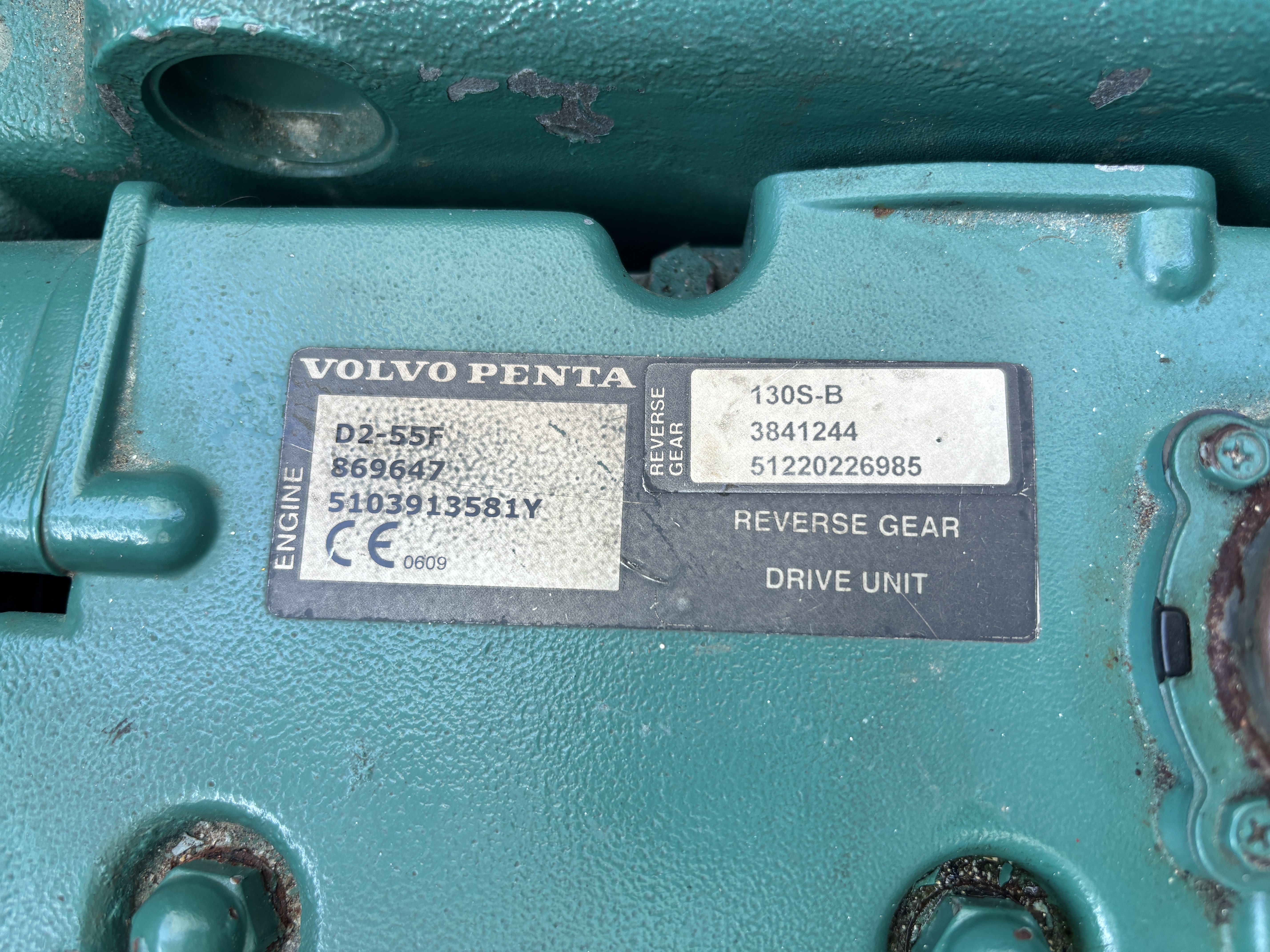
Pro tip: Start with a photo of the equipment nameplate. Many manufacturers put all the key information on one label, and having a photo means you can reference it during setup without making another trip to the engine room or lazarette. When your MaintenanceROS account is set up, you can also upload it for future reference.
Tip 2: Set Aside Focused Time for Setup
MaintenanceROS setup isn’t complicated, but it’s worth doing without distractions.
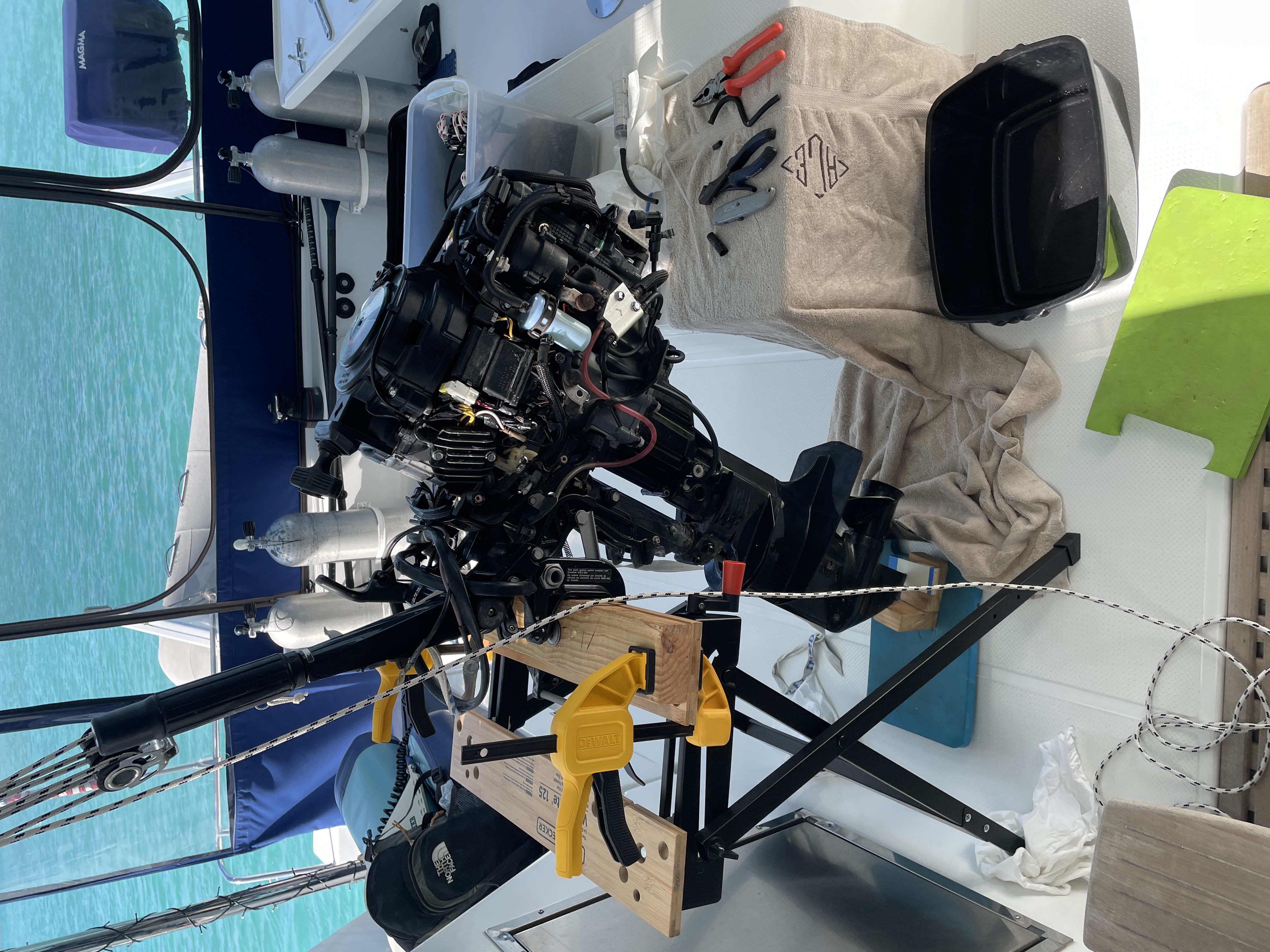
During your initial account setup, our system continually saves your progress, so you can stop and come back to it as needed. However, new users who gather their equipment lists and sit down to complete the setup process in one go tend to be more successful. Why? Boats are full of distractions. Entering equipment into your MaintenanceROS account can remind you of something you’ve been meaning to check and suddenly your outboard is disassembled in the cockpit.
Not that that has ever happened to me…
Here’s what to expect time-wise:
Quick Setup (15-20 minutes): If you’re comfortable letting MaintenanceROS handle initial scheduling based on manufacturer recommendations, setup is straightforward. Add your boat information, enter your equipment details, and let the system generate maintenance schedules automatically.
Detailed Setup (45-75 minutes): If you want to customize schedules, enter dates for recently completed maintenance, or adjust intervals based on your specific usage patterns, plan for more time. This investment upfront means your maintenance tracking will be accurate from day one.
Our recommendation:
Find a time when you can focus without interruptions. Make a cup of coffee, settle in, and complete your setup in one session. You’ll get better results and feel more confident using the system when you’re done.
What you’ll need:
- Your equipment list (from Tip 1)
- Service records or maintenance history (if you want to enter recent maintenance dates)
- A clear head and some patience!
Remember: Our system will estimate where your equipment is in its maintenance lifecycle. As you track completed tasks over time, our predictions become more accurate. So a quick setup is often plenty to get started—especially for newer boats or when you’re just beginning to track maintenance systematically.
Tip 3: Start with Your Most Critical Equipment
You don’t need to track every piece of equipment on your boat from day one.
One of the most common mistakes new users make is trying to add everything at once—every winch, every pump, every piece of electronics. This can quickly become overwhelming and might discourage you from completing your setup.
Instead, start with what matters most:
Priority 1: Propulsion and power
- Main engine(s)
- Generator
- Windlass
- Batteries
- Fuel system components
These systems keep your boat running and are typically the most expensive to repair or replace. Getting maintenance reminders for these alone provides immediate value.
Priority 2: Safety-critical systems
- Bilge pumps
- Winches
- Safety equipment with expiration dates
Priority 3: Comfort and convenience
- Watermaker
- Refrigeration
- Air conditioning/heating
Priority 4: Everything else
- Electronics
- Deck hardware
- Interior systems
Why this approach works:
You’ll get immediate value from tracking your most critical systems without feeling overwhelmed by data entry. As you become comfortable with MaintenanceROS, you can gradually add other equipment. Many users find that after a few weeks of successfully tracking their core systems, they’re motivated to add everything else because they see how valuable the tracking has become.
Tip 4: Take Advantage of Built-In Manuals (and Upload Your Boat-Specific Docs)
Here’s something that sets MaintenanceROS apart: we provide digital owner’s manuals for 98% of the equipment in our database.
When you add your engine, windlass, or winch, the relevant owner’s manual is automatically available. No more digging through lockers or searching manufacturer websites.
But you should also upload documentation that’s unique to YOUR boat:
Boat Registration & Documentation
Having this accessible from your phone means you’re never scrambling for paperwork when officials, insurance companies, or marina staff need to see it.
Upload:
- Registration/title documents
- Insurance policy and contact information
- Survey reports
- Bill of sale
Haul-Out Specifications
After our experience in Thailand where improper blocking caused hull damage, I never hauled out without having lifting and blocking diagrams immediately accessible on my phone.
Upload:
- Manufacturer’s lifting and blocking diagrams
- Photos from previous successful haul-outs
- Special requirements for your hull type
Learn more: Check out our detailed guide on proper lifting and blocking procedures.
Additional Equipment Documentation
While we provide owner’s manuals, your specific installation may have additional documentation that’s invaluable for troubleshooting and repairs.
Upload:
- Installation guides and wiring diagrams for YOUR configuration
- Service/repair manuals with technical details
- Warranty information and certificates
- Installation photos showing serial number locations
- Service records and repair receipts
Why This Matters
Having all your documentation in one accessible place means you’re never searching when you need information—whether you’re troubleshooting at 2 AM in an anchorage, preparing for haul-out, or dealing with an insurance claim.
Getting started: You don’t need to upload everything at once. Start with registration, insurance, and haul-out specs, then add more as you find documents or specific needs arise.
Tip 5: Watch the Tutorials and Explore Features
MaintenanceROS has more features than most new users realize.
We’ve created comprehensive tutorials that cover not just the basic signup and account creation process, but also tips and tricks for getting the most value from your account. Spending 30 minutes with these tutorials can save you hours discovering features you didn’t know existed.
What the tutorials cover:
Getting Started:
Core Features:
- Using the Dashboard to assess your boat’s maintenance status
- Changing your account settings
- Creating and customizing checklists
- Tracking parts inventory
- Using the To-Do List
Advanced Tips:
- Customizing maintenance intervals for your usage patterns
- Exporting your files and data
- Backdating tasks
- Adding prior maintenance history
Key features to explore:
The Dashboard Your maintenance command center. Learn how to quickly assess what needs attention, what’s coming up, and what’s overdue. Make this your regular check-in point—many users start their day or week by reviewing their Dashboard.
Checklist Library Pre-made checklists for common procedures like pre-departure checks, haul-out preparation, and seasonal maintenance. Customize these to your boat’s specific needs and create your own for regular procedures.
Parts Inventory Track what spare parts you have, where they’re stored, and link them to specific maintenance tasks. No more buying parts you already have or discovering you’re missing something critical when you’re ready to start a project.
Maintenance History Every task you complete creates a record. This history helps you spot patterns, diagnose recurring issues, and provides documentation for insurance or resale.
Equipment Hours Tracking Log operating hours for engines, generators, and other usage-based equipment. MaintenanceROS uses these to calculate when hour-based maintenance is due.
Where to find help:
- Tutorial videos: Accessible on our Tutorials Page
- Support: Don’t hesitate to reach out to support@maintenanceros.com if you get stuck
- Social media: Follow MaintenanceROS for tips, updates, and maintenance wisdom
The learning curve is gentle:
You don’t need to master everything at once. Start with the basics—adding equipment and understanding your Dashboard. As you get comfortable, explore additional features like checklists and parts inventory. Most users find that within a few weeks of regular use, MaintenanceROS becomes an indispensable part of their boating routine.
Putting It All Together
Getting started with MaintenanceROS doesn’t have to be complicated. These five tips—preparing your equipment list, setting aside focused time, starting with critical systems, leveraging built-in documentation, and learning the features—will set you up for success.
The goal isn’t perfection on day one. The goal is to start tracking your most important maintenance, build confidence with the system, and gradually expand your setup as you discover how valuable organized maintenance tracking becomes.
Remember our tagline: Put your maintenance on autopilot. That’s exactly what MaintenanceROS does once you’ve completed your setup. You’ll get reminders when maintenance is due, have access to all your documentation when you need it, and feel confident that nothing’s being overlooked.
After 10 years of managing boat maintenance the hard way—with spreadsheets, sticky notes, and hope—we built MaintenanceROS to be the system we wished we’d had. These five tips represent what we learned from our own experience and from helping hundreds of boat owners get organized.
Ready to get started?
Start your free 30-day trial and put these tips into practice. You’ll be tracking maintenance like a pro in less than an hour.
Questions about getting started? Reach out to our support team—we’re here to help you succeed.